Reporting & insights
Exclude blank pages from reports
When you select the Individual report option to generate separate reports for certain dimensions, you can now streamline the report output by suppressing blank pages for dimension values with no data for the period.
This enhancement applies to financial reports for the following dimensions:
-
Department
-
Location
-
Project
In addition, the following General Ledger reports provide this option for the Department and Location dimensions:
-
Account balances
-
Comparative trial balance
-
Department activity
-
Dimension balances
-
General Ledger
-
Journals
-
Location activity
-
Trial balance
How it works
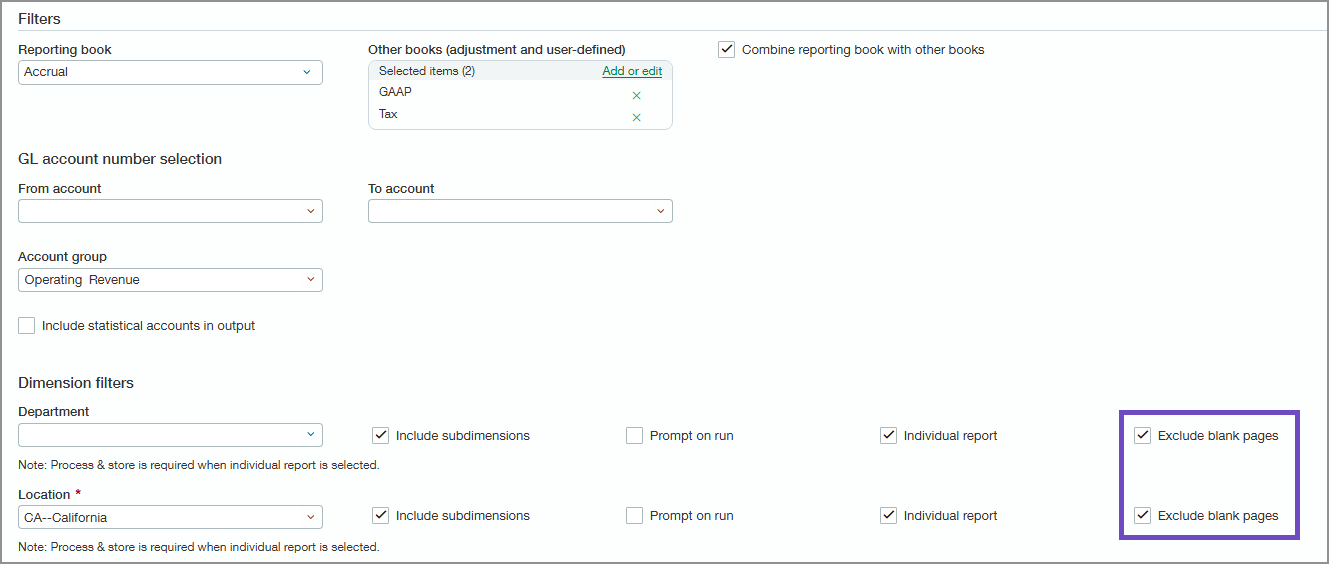
When you select the Individual report checkbox on the General Ledger report pages, you'll then see an Exclude blank pages checkbox. Select the checkbox to omit blank pages from the report if it includes a dimension with no data.
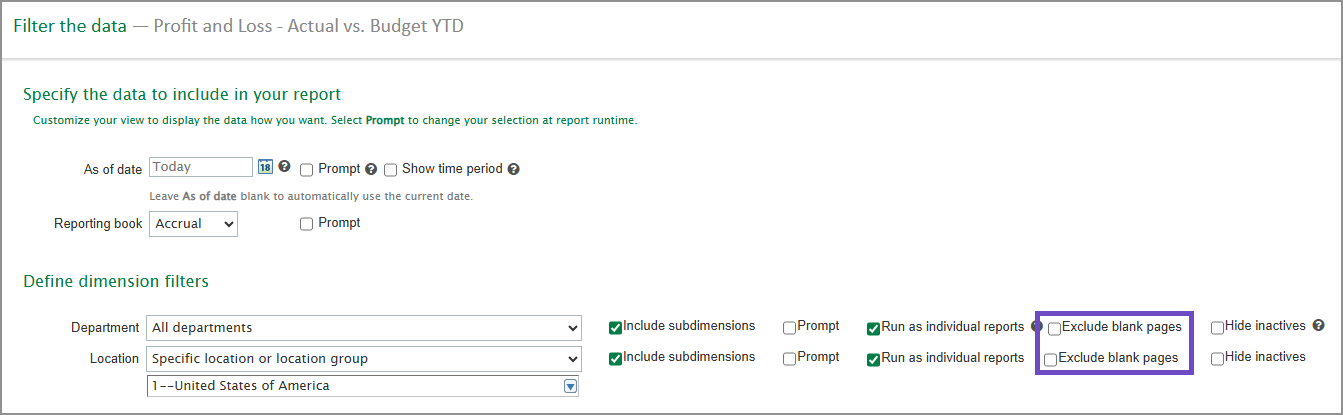
The Exclude blank pages checkbox is also available on the Filters tab in the Financial Report Writer when you select the Run as individual reports checkbox.
Permissions and other requirements
| Subscription |
General Ledger |
|---|---|
| Regional availability |
All regions |
| User type |
|
| Permissions |
General Ledger
|
